Free & open source · macOS 13+
Tamp keeps your Mac awake.
And tells you when something else does.
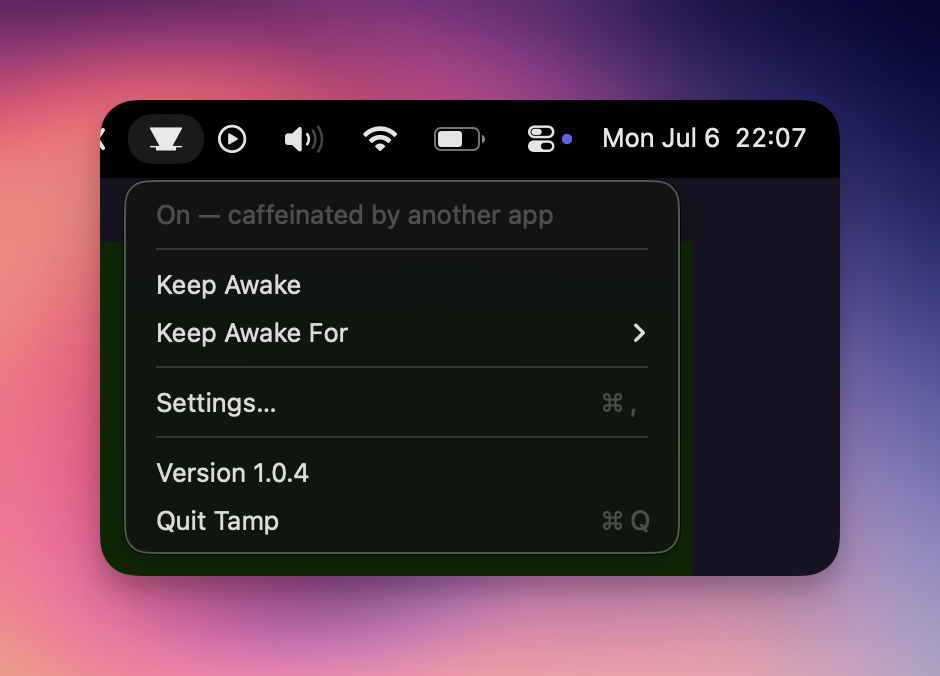
Tamp is a menu bar app and CLI wrapping Apple's built-in caffeinate — and the only keep-awake tool that shows when another app is caffeinating your Mac.
Universal binaries (Apple Silicon + Intel) · no Xcode needed · MIT
Why Tamp
It tells the truth
If any other tool — Amphetamine, a script, an AI agent's hooks — runs
caffeinate, Tamp's icon fills and the status says so. No more
wondering why the Mac won't sleep.
One state, two faces
The menu bar app and the tamp CLI share a single source of
truth. Toggle in the terminal, watch the icon change. Set a timer in the
menu, read it with tamp status --json.
Nothing exotic
Keep-awake is Apple's own caffeinate, wrapped — not
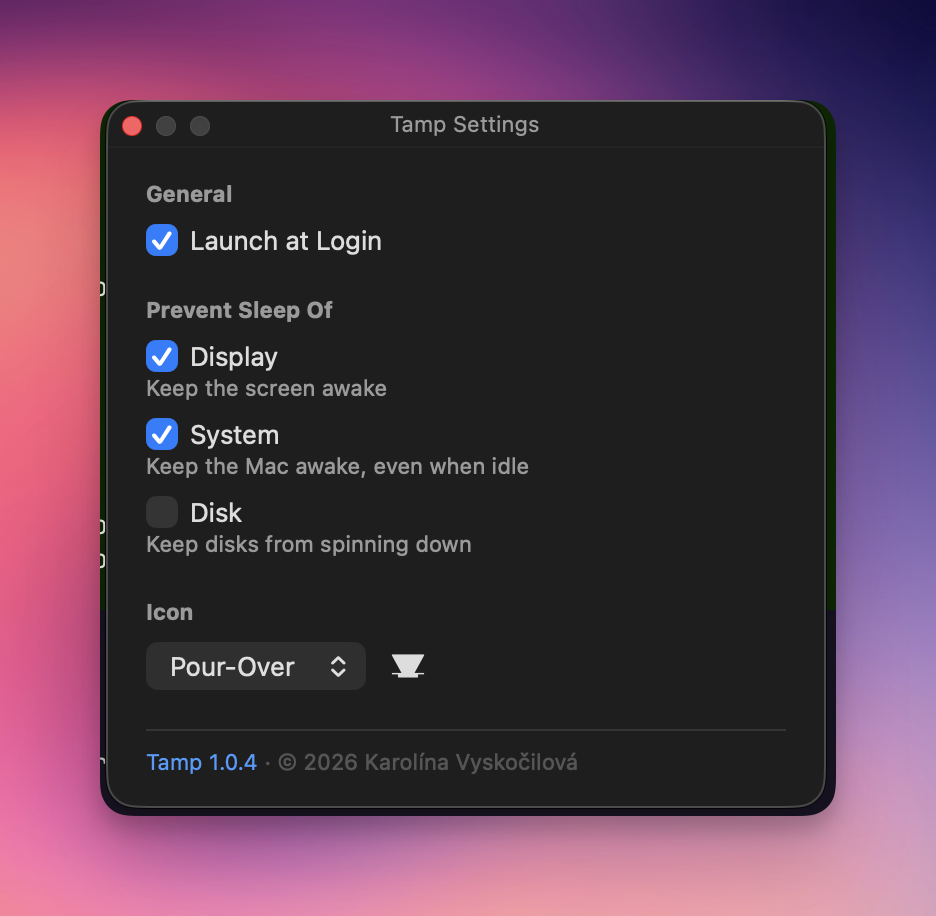
reimplemented. Display, system and disk sleep controlled independently.
MIT-licensed, ~1 MB, no background daemon.
Command line
$ tamp on                # keep awake until turned off
$ tamp for 2h            # … for two hours
$ tamp until 17:30       # … until half past five
$ tamp on --no-display   # let the screen sleep, keep the Mac up
$ tamp status
☕️ On — caffeinated by another app.
$ tamp off               # yours stops; other apps' sessions are never touched
Real-world integration
This is why Tamp shows when another app is caffeinating your Mac: I got tired of not knowing if Claude Code was still working. A couple of lines in my Claude Code hooks mirror straight into Tamp's state — same icon I already glance at for everything else.
Compared
| Tamp | Amphetamine | KeepingYouAwake | Caffeine | |
|---|---|---|---|---|
| Menu bar app | ✓ | ✓ | ✓ | ✓ |
| CLI sharing state with the app | ✓ | — | — | — |
| Shows other apps' keep-awake | ✓ | — | — | — |
| Keep awake until a clock time | ✓ | ✓ | — | — |
| Homebrew install | ✓ tap | App Store | ✓ cask | ✓ cask |
| Open source | ✓ MIT | — | ✓ MIT | ✓ MIT |
Based on each project's published documentation, July 2026. Amphetamine's trigger system covers automation Tamp doesn't attempt — if you need that, use Amphetamine.
Questions
Is Tamp free?
Yes — free and open source under the MIT license.
What macOS version does it require?
macOS 13 Ventura or later. Homebrew installs universal binaries for Apple Silicon and Intel.
Do I need Xcode?
No. Installing via Homebrew needs nothing extra; building from source needs only the Swift 6+ toolchain (Command Line Tools are enough).
How is it different from Amphetamine or KeepingYouAwake?
Tamp ships a CLI and a menu bar app that share one state, and it uniquely shows when another app is keeping your Mac awake instead of pretending the machine is free to sleep.
Does it drain my battery?
No. Keep-awake itself is Apple's native caffeinate; Tamp adds a menu bar icon and a lightweight in-process check that notices external keep-awake activity while idle.
Can I keep only the display awake?
Yes — display, system and disk sleep are independent, per run (tamp on --display --no-system) or as saved preferences in Settings.
How do I uninstall it?
brew uninstall tamp, delete /Applications/Tamp.app, and optionally remove ~/Library/Application Support/Tamp. The repo ships an uninstall.sh that does all of it, login item included.
How do I report a bug or contribute?
Open an issue or pull request on GitHub — I read all of them. For anything else, email karolina@kybernaut.cz.